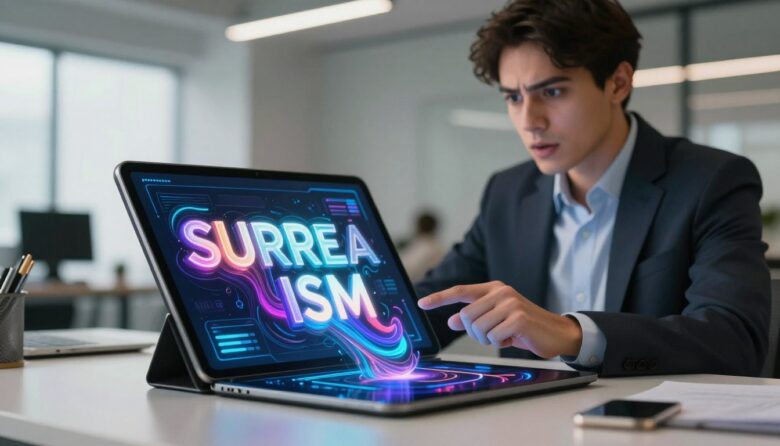
Have you ever stared at a screen full of static text and felt your mind wander? In 2025, that’s a recipe for losing a user’s attention. I believe moving words are the secret weapon for apps that want to stand out.
This approach, often called kinetic typography UX, is about using animated text with purpose. It guides people through an interface and makes complex information easy to digest. It’s a functional tool, not just a flashy effect.
I’ve watched apps transform by adding motion to their messages. Onboarding becomes smoother, and everyday interactions feel more delightful. Our brains are hardwired to notice movement, so this naturally boosts engagement.
Thanks to new tools and AI, creating these animations is more accessible than ever. You don’t need to be a motion graphics expert to make your text work harder.
This guide is for designers, developers, and product managers ready to make their apps memorable. I’ll share practical tips and real-world examples you can use right away. Let’s explore how moving your words can truly move your users.
Key Takeaways
- Moving text captures attention far better than static blocks of information.
- Animated typography is a functional design tool that improves how users navigate and understand an app.
- It makes first-time experiences, like app onboarding, smoother and more engaging.
- Our brains are naturally drawn to motion, making this a powerful psychological principle for design.
- Modern tools and AI have made implementing animated text more achievable for most teams.
- Effective use of motion can strengthen your brand message and make information more memorable.
- This technique is a key differentiator for apps aiming to increase user retention and satisfaction.
Introduction: Why Static Text Is No Longer Enough
Our digital world is no longer a quiet library of still pages. It’s a vibrant stage where words perform. Scroll through a modern app or site, and you’ll see text that slides, bounces, and fades.
This motion isn’t just decoration. It’s a response to how we live now. Our attention spans are shorter, and our expectations are higher.
Think about your social media feed. Platforms like TikTok and Instagram Reels have trained us to expect movement everywhere. When we encounter a wall of static text, it feels flat and slow. Our brains, now wired for motion, simply glance away.
Let’s compare two app onboarding screens. The first uses plain, unmoving paragraphs. It feels like homework. The second uses moving text to highlight key steps. The animated version feels lighter and is much easier to understand.
This is the core problem for apps today. In a crowded market, static interfaces blend in. Dynamic ones stand out and create moments people remember.
The data backs this up. Interfaces with thoughtful motion see longer dwell times and higher interaction rates. Users don’t just consume information. They connect with it.
That emotional connection is key. Plain static text creates a disconnect. But words that move with purpose and rhythm can make your brand message feel alive and intentional.
This isn’t about adding flash for no reason. It’s about meeting a basic user expectation for a lively, responsive interface. People want to feel like the app is working with them.
Can you recall the last time an animated word on a screen made you smile? That’s the feeling we’re aiming for.
Understanding this approach to kinetic typography is no longer optional. It’s essential for building competitive, engaging apps that people love to use. Let’s dive into why.
What Is Kinetic Typography? Moving Beyond the Definition
At its core, this technique is about giving your message a sense of life and direction. It’s the art of animating letters and words to communicate more effectively.
Think of it as a conversation where the text itself has a voice. It uses movement, timing, and transitions to guide a user and enhance meaning.
This approach turns plain information into an engaging experience. It’s a powerful tool for modern designers.
From Saul Bass to Social Media: A Brief History
The idea isn’t new. Its roots are in classic cinema. Pioneers like Saul Bass used animated titles to set a film’s mood.
His work on North by Northwest (1959) is a landmark. The opening sequence used sliding text to create tension. It showed how motion could tell a story before the first scene.
This style evolved with media like MTV in the 80s and 90s. Music videos and show intros made animated words a staple of pop culture.
Today, you see it everywhere on social media. Lyric videos and animated app tutorials follow the same principles. The goal remains to capture attention and improve comprehension.
The Three Main Styles You’ll See Today
Modern kinetic typography takes several forms. Each serves a different purpose in digital experiences.
- Subtle Micro-interactions: These are small effects like a button label that fades on hover. They provide gentle feedback without distraction.
- Bold Title Sequences: Think of a full-screen narrative that scrolls with you. It’s used in app onboarding to make a strong first impression.
- Functional Animations: These are animated tooltips or labels that point to a new feature. They guide the user through a task step-by-step.
These styles often fall into two broader categories. Motion typography involves whole lines sliding or spinning. Fluid typography is about letters themselves bending or morphing.
Knowing these styles helps you pick the right animation for your app. A playful bounce might work for a game. A smooth slide could better suit a finance tool.
This field blends graphic design, motion design, and interaction principles. It’s about making your content not just seen, but felt and remembered.
Why Kinetic Typography UX Is Essential in 2025
Two powerful forces are making animated text essential right now: accessible technology and changed user expectations. For anyone building digital products, this isn’t a passing trend. It’s a fundamental shift in how we communicate.
I see 2025 as the perfect moment to embrace this approach. The barriers to entry have fallen, and the cultural demand is clear. Apps that ignore this shift risk feeling outdated.
The Tech Boom: Accessible Tools and AI
Just a few years ago, creating smooth text animations required a motion graphics studio. Today, it’s a different story. Powerful libraries like GSAP and Framer Motion have democratized the craft.
These tools let solo designers build complex sequences with code. Platforms like Lottie allow animations to run smoothly anywhere. What once took days can now be prototyped in hours.
Artificial intelligence is accelerating this even further. Tools like Adobe Express and Rive can now suggest animation styles based on your brand identity. They automate the tedious parts of the design process.
This means professional-grade motion is within reach for teams of all sizes. You don’t need a specialist on staff. The accessibility of these tools is a game-changer.
The Social Media Effect: Trained Expectations
Our daily experiences online have rewired what we expect from a screen. Platforms like TikTok and Instagram Reels are built on short, engaging video loops.
Users now instinctively scroll past static content. They’ve been trained to seek out motion and rhythm. When an app presents a wall of still text, it can feel unresponsive.
This isn’t just about younger audiences. The expectation for dynamic media is widespread. An interface without thoughtful animation can signal low quality.
This cultural shift is permanent. To meet users where they are, your product needs to speak their visual language. Moving messages create a sense of aliveness that static information cannot.
Together, these forces create a compelling case. Using kinetic typography is no longer just for marketing videos. It’s a key differentiator for core app experiences.
It directly impacts engagement and retention. In crowded app stores, this attention to detail makes your work stand out. It tells a user that you care about their experience.
I believe this is a foundational change in interface design. The tools are here, and the user expectation is set. The opportunity to create more memorable, effective apps has never been better.
How Moving Text Captures and Holds Attention
Our ancient brain wiring gives moving elements an unfair advantage in the battle for attention. This “motion bias” is a survival mechanism. Our ancestors needed to spot a predator in the bushes or track game across a plain.
Today, that same instinct makes a sliding headline impossible to ignore on a crowded screen. Kinetic typography exploits this bias with purpose. It turns your key message into the predator in the bush—the one thing a user simply must look at.
Let’s make this practical. Imagine a call-to-action button. A static “Sign Up” label can easily get lost in other elements. Now, give that label a gentle pulse or a smooth slide-in animation.
The difference isn’t just visual. It’s psychological. The moving version taps into that deep-seated bias, creating a powerful visual cue.
| Aspect | Static Call-to-Action | Animated Call-to-Action |
|---|---|---|
| Visual Cue | Relies on color and position alone. | Uses motion as a primary signal, leveraging natural “motion bias.” |
| User Perception | Can feel passive or part of the background. | Feels alive, interactive, and intentionally placed. |
| Impact on Click-Through Rate | Serves as a baseline. Users may scroll past. | Often sees increases of 15-30% by directly commanding attention. |
Capturing that first glance is only half the work. The real magic is in holding attention over times. Controlled pacing is your tool here.
Think about a multi-step onboarding experience. Using moving text to reveal one instruction at a time focuses the user. It prevents overwhelm and guides them smoothly to completion.
Many apps use this to boost their completion rates significantly. It turns a chore into a guided tour.
Another powerful technique is “scroll and reveal.” As a person scrolls, text animates into view. This creates a narrative flow that encourages exploration. It makes reading feel like an active discovery.
The balance is crucial. Your goal is to guide, not overwhelm. Purposeful motion feels helpful. Chaotic animation feels stressful.
Every second of attention you hold pays dividends. It directly translates to longer session times and deeper interaction. These are the metrics that define true engagement.
Think of a kinetic headline as a friendly wave in a crowded room. It cuts through the noise politely and invites a conversation. That’s the impact you want for your brand messages.
By understanding this brain hack, you can design experiences that don’t just inform. They captivate. This principle applies beyond apps to marketing videos and web content for any audience.
The Psychology Behind Kinetic Typography’s Power
The real power of animated text isn’t in its visual flair, but in how it connects with our minds. I want to explore the psychological engine that makes this technique so effective. It’s about tapping into instincts and shaping memory.
When we understand why moving words work, we can design with purpose. This isn’t guesswork. It’s applied psychology for better user experiences.
Our Hardwired “Motion Bias”
Our brains are ancient alert systems. They prioritize moving objects over static ones. This “motion bias” kept our ancestors safe from threats.
On a screen, this bias gives animated elements an instant advantage. A sliding headline or pulsing button commands attention before a user even thinks about it. It’s a subconscious pull.
I use this principle to guide eyes to key messages. It’s like a gentle tap on the shoulder in a noisy room. The impact is immediate and reliable.
Creating Stronger Memory Associations
Memory formation gets a major boost from multisensory encoding. This is a fancy term for a simple idea. When text moves in a way that matches its meaning, the brain creates a stronger link.
Think of the word “grow” gently expanding on screen. Or “fall” tumbling downward. The motion illustrates the concept visually and verbally at once.
This dual encoding makes the information more intuitive. It also makes it stick. People are far more likely to remember a message presented this way.
Motion carries emotional weight, too. Speed and direction evoke feelings. Smooth, flowing animations feel calm and confident.
Rapid, sharp movements create tension or excitement. This emotional layer is powerful for brand storytelling.
A playful app might use bouncy text. A luxury service might use slow, elegant fades. The animation style becomes part of the brand voice.
Expert Dan Boyarski highlighted this in a TEDx Talk. He showed how kinetic typography amplifies the visual impact of words. It turns reading into a richer experience.
My own “aha moment” came watching a simple lyric video. The word “heartbeat” pulsed in time with music. I felt the meaning, not just read it. That emotional nuance changed how I see design.
Understanding this psychology is your blueprint. It helps you choose motions that resonate on a deep level. Your work won’t just look good. It will feel right and be remembered.
Improving Usability and Guiding User Journeys
Think of the best app experiences you’ve had—chances are, they didn’t just tell you what to do; they showed you. This is where kinetic typography becomes a silent guide. It turns your interface into a helpful companion, not a static manual.
I see this design approach as a way to sequence information. Instead of dumping all details at once, animated text can reveal them step-by-step. This prevents new users from feeling overwhelmed.

Let’s talk about micro-interactions. When you tap a button, and its label slides or changes color, it feels satisfying. That tiny animation provides instant feedback. It tells your brain the action was registered.
This is crucial for building trust. A responsive interface makes users feel in control. Every small movement reinforces that the app is working with them.
Onboarding is a perfect example. A guided tour with moving text can literally point the way. It highlights where to tap next and explains why. This reduces abandonment rates significantly.
Compare two approaches to onboarding:
| Feature | Unguided Onboarding (Static Text) | Guided Onboarding (Animated Text) |
|---|---|---|
| First-Time User Clarity | Users may feel lost, leading to higher drop-off. | Step-by-step reveals build confidence and reduce confusion. |
| Completion Rate | Often lower, as users skip or exit early. | Typically higher, with a more engaging, narrative flow. |
| Support Tickets Generated | Higher volume of “how-to” questions post-onboarding. | Lower volume, as the experience is self-explanatory. |
| Long-Term User Retention | Can suffer if initial confusion leads to app deletion. | Improved, as a positive first experience encourages return visits. |
Accessibility is a key consideration here. For some neurodivergent users, visual cues from motion can aid comprehension. It provides grounding and helps direct attention.
However, too much animation can cause sensory overload. Always honor “reduced motion” preferences in system settings. This balance is a core design principle.
Usability testing is non-negotiable. You must watch real users interact with your animated elements. Do they understand the guide? Or does it introduce confusion?
Testing helps you refine the timing and style of transitions. What feels intuitive to you might not for others. Iterate based on this feedback.
Functional animations are another powerful tool. A loading indicator that uses animated text like “Almost there…” reassures users. It turns a waiting period into a moment of communication.
These small touches improve the overall user experience. They directly impact business outcomes. Lower support costs and higher satisfaction scores are common results.
Think of kinetic typography as a helpful tour guide for your app. Its job is to assist, not distract. When done right, it makes your product feel smarter and more caring.
This focus on usability turns good content into great experiences. It ensures your brand message is not just seen but understood and appreciated.
Enhancing Storytelling and Emotional Impact
The most memorable apps don’t just function; they make you feel something. This is where kinetic typography moves beyond utility and into the realm of storytelling. It transforms your content from simple information into a narrative that connects.
Think of your app’s onboarding as the opening scene of a movie. Using animated text to reveal your brand‘s story piece by piece creates a personal, immersive experience. It’s not a data dump. It’s a guided tour that builds anticipation.
The pacing of your animation is like a film editor’s rhythm. Slow, deliberate fades can build trust and importance. Quick, energetic bounces inject joy and excitement.
This control over tempo is a superpower. It lets you emphasize key messages and create emotional beats. A well-timed reveal can feel like a satisfying plot twist.
Research consistently shows that typographic visuals are the most effective way to tell stories and evoke emotions in an audience.
Let’s break down how this emotional impact is achieved through specific motions:
- Gentle fades and slides convey calmness, trust, and guidance.
- Energetic bounces and scales communicate playfulness, success, and joy.
- Rapid shakes or pulses signal urgency, alerts, or important notices.
I see this principle shine in app trailers and marketing videos. The words themselves become the star, driving the narrative forward. A trailer for a fitness app might have the word “strong” physically strengthen and bolden on screen.
This technique isn’t just for big video productions. Even a simple error message in your app can tell a mini-story. Instead of a static “Error 404,” animated text can say, “Hmm, that didn’t work. Let’s try again?” This reassures and guides the user in a friendly tone.
Consistency in your motion style is crucial. All your animations should feel like they come from the same brand personality. Is your app’s voice playful, sophisticated, or reliable? The movement of your text should match that voice every time.
This consistent storytelling builds user loyalty. Apps that make people *feel* something are the ones they remember and return to. They create positive emotional associations that go beyond mere functionality.
Start thinking of your app’s text as a character in its own right. Its motion defines its mood and intentions. This shift in perspective unlocks a new level of design and engagement.
By weaving narrative and emotion into your work, you create experiences that resonate. Your app becomes more than a tool. It becomes a part of your user’s story.
Best Practices for Effective Kinetic Typography
Great animated text doesn’t happen by accident. It follows a set of core principles that ensure clarity and impact. I’ve learned that the most successful implementations always put the user first.
This isn’t about adding motion for its own sake. It’s about making your content more understandable and enjoyable. Let’s walk through the essential rules I follow in my own design work.
These guidelines will help you avoid common mistakes. They turn a good idea into a great user experience.
1. Design With Clear Intent
Every animation should start with a “why.” Before you choose an effect, define its goal. Is it to guide, notify, or simply delight the person using your app?
This intent becomes your North Star. It helps you pick the right movement and timing. A notification needs to be quick and clear. A guiding hint can be slower and more explanatory.
I always ask myself: “What job is this moving text doing?” If I can’t answer, I go back to the drawing board. Purposeful motion feels intuitive. Random effects feel confusing.
Here’s a simple framework I use to match intent with execution:
| Primary Intent | Example Animation Style | Best Use Case |
|---|---|---|
| Guide & Explain | Smooth slide-in, sequential reveal | Onboarding steps, feature tutorials |
| Notify & Alert | Subtle pulse, quick color change | New message indicator, error state |
| Delight & Engage | Playful bounce, elegant fade | Celebration screen, loading sequence |
| Confirm & Feedback | Checkmark morph, button press effect | Form submission, successful action |
This table is a starting point. The key is to align the animation with the user‘s need at that moment.
2. Honor Accessibility and “Reduced Motion”
Inclusive design is non-negotiable. Some people experience dizziness or nausea from certain motion. Others simply prefer a calmer interface.
Modern systems have a “prefers-reduced-motion” setting. As a designer, you must respect it. This is a CSS media query that lets you serve a simpler version of your content.
“Accessibility is not a feature. It’s a fundamental aspect of good design that benefits everyone.”
Here’s my practical approach. First, I ensure all animated elements are non-essential. The core message must be understandable without any movement.
Second, I avoid rapid flashes or spinning text. These can trigger photosensitive reactions. Smooth fades and slides are generally safer.
Third, I make sure interactive elements have a clear static state. A button should be recognizable even when it’s not pulsing.
Testing with accessibility tools is a crucial step. It ensures your brand welcomes everyone.
3. Maintain Consistency in Motion Style
Your app’s motion should have a personality, just like your color palette or fonts. Do your words bounce with energy, or do they glide with sophistication?
Creating a small motion style guide solves this. Document the types of transitions you use, their speed, and their easing curves.
For example, you might decide all instructional text uses a 300ms fade-in. All success messages use a gentle scale-up. This consistency makes the experience feel polished and intentional.
It helps users build a mental model. They learn what to expect from your interface. Chaotic, inconsistent animation breaks that trust and feels amateurish.
I often borrow from the principles of brand identity. If your brand voice is friendly, use springy motions. If it’s serious, use slower, linear movements.
4. Remember: Less Is Often More
Early web design was full of blinking text and spinning gifs. We’ve learned that less is usually more effective. Motion is like seasoning—the right amount enhances the dish.
My golden rule: use animation only where it adds genuine value. A simple test is to ask, “Would this message fail without the motion?” If the answer is no, consider simplifying or removing it.
Over-animating causes attention fatigue. When everything moves, nothing stands out. It also slows down the user and can feel frustrating.
Pay close attention to timing and easing. Animations should feel natural and responsive, not robotic or sluggish. A good easing curve makes movement feel organic.
For beginners, I suggest starting with just one or two well-executed animations. A perfectly timed loading sequence or a helpful onboarding hint can make a huge difference.
These principles aren’t meant to restrict creativity. They provide a framework for design that truly works. They ensure your moving words enhance the experience, rather than distract from it.
Following these best practices will set your work apart. You’ll create apps that are not only beautiful but also intuitive and respectful of every user.
Getting Started: Tools and Templates for Every Designer
You don’t need to be an animation wizard to bring your words to life—today’s tools make it surprisingly simple. I’ve curated a toolkit that works for all skill levels and budgets. Whether you’re a solo designer or part of a large team, there’s a solution for you.
This guide will walk you through the best options available right now. From professional powerhouses to web-based apps, you’ll find the right fit. Let’s turn your vision for moving text into reality.
Pro-Level Power: Adobe After Effects
For unlimited control, Adobe After Effects is the industry standard. It offers broadcast-quality results for complex text animations. You can create intricate 3D motion and custom effects that match any brand identity.
This software is perfect for detailed app onboarding sequences or promotional videos. The learning curve is steeper, but the payoff is worth it. You gain precision over every aspect of timing and movement.
Countless tutorials and plugins expand its capabilities even further. If your project demands high-end polish, this is the tool I recommend.
Beginner-Friendly Web Tools: Canva & Kapwing
If you need speed and simplicity, look to web-based platforms. Canva and Kapwing offer drag-and-drop interfaces that feel intuitive. They are perfect for creating social media clips or simple app animations quickly.
Canva is browser-based and has a vast library of fonts and assets. Kapwing adds collaborative features, making it great for team projects. Both allow you to export videos ready for use in your app or marketing materials.
These tools lower the barrier to entry significantly. You can produce engaging content without prior motion design experience.
Time-Savers: Professional Kinetic Typography Templates
Why start from scratch when you can use a professional template? Marketplaces like Envato Elements or Motion Array offer a huge selection. These provide a head start with high-quality, pre-made animations.
You can customize colors, text, and timing to match your app’s brand. This approach saves days of work and ensures a polished result. It’s a smart way to achieve professional effects quickly.
I often suggest starting with a template and tweaking it to your needs. It’s a fantastic learning resource, too.
Artificial intelligence is also changing the game. Tools like Adobe Express and Rive can now suggest animation styles based on your content. They automate tedious tasks and speed up the ideation phase.
Figma plugins are bringing similar functionality directly into the design process. These AI assistants help you experiment with different motions faster than ever before.
To help you choose, here’s a quick comparison of the main tool categories:
| Tool Type | Best For | Learning Curve | Output Quality |
|---|---|---|---|
| Pro Software (After Effects) | Complex animations, full brand control | Steep | Broadcast/High-End |
| Web Tools (Canva, Kapwing) | Quick social videos, simple app effects | Low | Good for Web & Social |
| Professional Templates | Fast results, no animation expertise needed | Very Low | Professional |
| AI-Assisted Platforms | Rapid prototyping, style suggestions | Moderate | Varies (Customizable) |
Don’t forget about learning resources. Platforms like Skillshare and YouTube have step-by-step tutorials for After Effects. Community forums are great for getting help with specific tools.
The most important step is to start experimenting. Pick one tool that matches your current skill level and project scope. Create a simple animation for a call-to-action or a loading screen.
See how it feels and how users respond. This hands-on experience is the best teacher. Your words are ready to move—these tools are your launchpad.
Where to Use Kinetic Typography in Your App
Let’s map out the specific areas in your app where moving words will have the biggest impact. Knowing where to place animated text is just as important as knowing how to create it. Strategic placement turns a neat effect into a powerful tool for engagement.
I want to get specific about implementation. We’ll look at three key zones that deliver maximum return on investment. Each one serves a distinct purpose in the user journey.
Your goal is to make every text interaction feel intentional and helpful. This approach transforms the overall experience.
Onboarding Sequences
First impressions are everything. An onboarding flow with static paragraphs can feel like a textbook. Using animated text here guides new users step-by-step.
I explain features sequentially to reduce cognitive load. Instead of showing all information at once, words fade or slide in as the user progresses. This focused approach significantly increases completion rates.
Think of it as a friendly narrator for your product. A gentle highlight pulse can draw the eye to the next action. This makes the process feel like a conversation, not a chore.
Here’s a look at the measurable impact:
| Metric | Static Onboarding | Animated Onboarding |
|---|---|---|
| Completion Rate | Often below 40% | Can exceed 70% |
| Time to First Action | Longer, due to hesitation | Shorter, with clear guidance |
| Support Queries Post-Setup | Higher volume | Noticeably reduced |
Track your onboarding drop-off rates before and after adding motion. You’ll likely see a positive shift in user retention.
Micro-interactions and Feedback
Small moments build big trust. Micro-interactions are the tiny responses your app gives after a user action. Animated text here makes the interface feel alive and responsive.
I show how a simple confirmation can enhance the experience. When a message is sent, the word “Sent!” can slide out with a checkmark. This provides satisfying, instant feedback.
Loading states are another perfect opportunity. Instead of a static spinner, text like “Almost there…” can pulse gently. This reassures the user that the system is working.
These subtle movements enhance perceived responsiveness. They turn passive waiting into active communication. Every tap and swipe feels acknowledged.
- Button Presses: Label color shifts or scales down slightly.
- Form Success: “Success!” fades in with a celebratory tone.
- Error States: “Please check this field” shakes gently to alert attention.
Keep these animations lightweight. They should never impact app performance or feel sluggish.
Feature Highlights and Tutorials
Teaching users about new or complex features is a common challenge. Animated callouts and labels can educate without a manual. This is where kinetic typography shines as a teacher.
I demonstrate functionality through movement. For example, when a new button is added, a text label can pulse nearby saying “Tap here to start.” The motion naturally draws the eye and explains the action.
Apps like Duolingo use this brilliantly. They teach through animated text that reinforces correct answers. Words bounce or celebrate, making learning feel like a game.
For feature tutorials, use sequential reveals. Guide the user through a multi-step process with text that appears at each step. This breaks down complex information into digestible pieces.
Key metrics to track here include feature adoption rates and time-to-competence. After an animated tutorial, see if more people use the new tool correctly.
A word of caution: avoid overusing animation in data-heavy lists or tables. In these contexts, speed and clarity are critical. Moving text can become distracting and slow down scanning.
Always keep animations context-appropriate. They should aid comprehension, not hinder it.
Imagine a fully realized app where every text interaction feels a bit magical. From the welcoming onboarding to the satisfying feedback taps, moving words create a cohesive and helpful experience.
Your brand message becomes more memorable. User engagement deepens because the product feels attentive and intelligent. Start by implementing motion in one of these three key areas and measure the difference it makes.
Exploring Types of Kinetic Animation: Motion vs. Fluid
Not all animated text is created equal—some moves as a block, while the letters themselves transform. Understanding this split is key to using movement wisely in your app. I want to clarify the two primary technical categories to help you choose the right tool for the job.
First, let’s define motion typography. This style applies animation to entire blocks of text. Think of a headline sliding in from the side or a paragraph fading into view. The words move together as a single unit.
Common effects include sliding, oscillating, spinning, and resizing. It’s fantastic for creating clear visual hierarchy and smooth transitions. You use it to guide a user‘s eye across the screen in a logical flow.
Now, meet fluid typography. This is where the letterforms themselves change shape. Individual characters can bend, morph, stretch, or even melt into a new form. The text feels alive and organic.
This style allows elements to shift and flow in response to user actions or media rhythm. It’s less about navigation and more about raw expression. The movement comes from within the words.
So when should you use each one? The choice depends on your intent for that moment in the experience.
| Aspect | Motion Typography | Fluid Typography |
|---|---|---|
| Primary Use Case | Functional transitions, establishing hierarchy, guiding navigation. | Expressive, emotional moments, strong branding, celebrations. |
| Example in an App | A product description that scrolls into view as the user swipes. | A “Congratulations!” message that stretches and bounces like rubber. |
| Technical Implementation | Often achieved with CSS or JavaScript libraries (GSAP, Framer Motion). | May require SVG animations or more advanced tools for distortion. |
| Overall Feel | Polished, controlled, and intentional. | Playful, organic, and highly dynamic. |
You can absolutely mix both types within one app. The secret is to ensure they complement each other. Use motion typography for your core interface elements and navigation.
Reserve fluid typography for key brand moments or special feedback. This could be when a user achieves a major goal or first opens your app. The contrast makes those expressive messages even more powerful.
From a trends perspective, I see fluid typography becoming much more common. New tools and libraries are making these complex distortions easier to implement. What once took expert-level code can now be prototyped faster.
My advice is to start with motion typography for your functional needs. It’s a reliable workhorse that improves usability. Once you’re comfortable, explore fluid styles for those memorable, emotional times.
Experimenting with both will give your app a richer, more engaging personality. Your content will not only inform but also connect on a deeper level.
Common Pitfalls to Avoid (And How to Fix Them)
I’ve seen many projects stumble over the same hurdles when adding movement to their interfaces. Let’s switch to troubleshooting mode. I’ll outline the most frequent mistakes teams make with animated text.
Knowing these traps ahead of time saves you from frustrating redesigns. It also ensures your user experience remains smooth and effective.

The first major pitfall is animation spam. This happens when too many elements move at once. It confuses the eye instead of guiding it.
I call this the “circus effect.” Every word is bouncing, sliding, and spinning. The user doesn’t know where to look first.
The fix is a simple motion audit. Review every animated piece in your design. Ask if each movement serves a clear purpose. If not, remove it.
Readability is another critical area. Animated text over a busy background becomes hard to read. Some fonts also lose clarity when in motion.
Always run contrast checks. Ensure your moving words stand out sharply against their backdrop. Simpler, bolder typefaces often work better for animation.
Accessibility pitfalls are serious. Fast-flashing text can trigger seizures or migraines. It’s not just a bad experience; it can be harmful.
You must follow WCAG (Web Content Accessibility Guidelines). Avoid flashes more than three times per second. Always respect the user’s system setting for “prefers-reduced-motion.”
A mismatched animation style can feel jarring. Imagine a playful bounce in a serious financial app. It clashes with the brand voice and confuses the message.
Your motion style must align with your product‘s personality. A luxury brand might use slow, elegant fades. A game app can use energetic bounces.
Technical issues often go unnoticed until launch. Complex animations can lag on older devices. They might also ignore the “prefers-reduced-motion” setting.
Test on multiple devices, including older models. Use prototyping tools to check performance. Optimize your code for smooth transitions.
Here is a clear guide to the top pitfalls and their practical solutions:
| Common Pitfall | Why It’s a Problem | Concrete Fix |
|---|---|---|
| Animation Overload | Creates visual noise, scatters user attention, and feels overwhelming. | Conduct a motion audit. Limit animations to one primary focus per screen. |
| Poor Readability | Moving text blends into background or uses a fussy font, making content illegible. | Use high-contrast colors and simple, robust typefaces for animated elements. |
| Accessibility Hazards | Flashing or blinking text can cause physical discomfort and excludes users. | Adhere to WCAG guidelines on flashing. Implement “prefers-reduced-motion” media queries. |
| Style Mismatch | Animation tone clashes with brand personality, breaking user trust and immersion. | Define a motion style guide that reflects your brand voice. Apply it consistently. |
| Performance Lag | Heavy animations cause slow load times and janky movement on less powerful devices. | Optimize animation code. Use hardware acceleration. Test on a range of target devices. |
| Ignoring User Preference | Not honoring system “reduced motion” settings is disrespectful and can cause harm. | Always check for and respond to the ‘prefers-reduced-motion’ CSS media feature. |
I learned these principles the hard way. Early in my work, I designed an onboarding video with rapid text flashes. I thought it looked dynamic and cool.
A beta tester with photosensitivity had to look away. They gave me honest, crucial feedback. I felt terrible, but it was a vital lesson.
I fixed it by slowing down the effects and adding a steady background. I also implemented a toggle to disable all movement. This made the experience safe for everyone.
That moment taught me that good design is inclusive by default. It’s not an afterthought.
My advice is to user-test with diverse audiences. Watch how people interact with your animated messages. Their reactions will tell you what works and what doesn’t.
Establish clear animation duration limits. For example, no transition should last longer than 500 milliseconds for functional elements. This keeps the interface feeling snappy.
Remember, these pitfalls are learning opportunities, not failures. Every mistake is a chance to refine your work.
Avoiding these common errors sets you up for success. Your kinetic typography will guide, delight, and engage without causing confusion or harm.
Your users will thank you with their attention and loyalty. That’s the ultimate goal of any design project.
Real-World Inspiration: Apps That Do It Right
Let’s look at the champions of animated text to understand what makes their approach so effective. I’ve studied many apps, but a few stand out for their masterful use of moving words.
These companies treat kinetic typography as a core part of their user experience. They don’t just add motion for fun. They use it to communicate their brand and guide people.
Examining their work gives us concrete ideas we can adapt. You’ll see how animation can tell a story, reward action, and simplify learning.
Apple’s Seamless Scrolling Narratives
Visit an Apple product page on your phone. As you scroll, text doesn’t just appear. It flows, stretches, and syncs perfectly with the product visuals.
This creates a narrative of precision and quality. The words feel like part of the design, not just labels. This seamless integration is their key principle.
It conveys luxury and innovation without saying a word. The movement is smooth and intentional. Every transition feels polished and considered.
This approach makes complex information easy to digest. You learn about features through a visual story. It’s a brilliant example of storytelling through motion.
Duolingo’s Playful Reinforcement
Duolingo turns learning into a game. When you answer correctly, their owl mascot celebrates. Glowing words bounce and shine on the screen.
This is kinetic typography used for positive reinforcement. It makes getting a right answer feel fantastic. The playful feedback strengthens habit loops.
Users keep coming back for that joyful experience. The animation style is energetic and friendly. It matches their overall brand personality perfectly.
This shows how moving messages can drive engagement. It turns a simple task into a rewarding moment. The impact on user retention is huge.
Airbnb’s Guided Onboarding Experience
Airbnb knows that new users can feel overwhelmed. Their onboarding flow is a masterclass in guidance. Text and imagery animate together in harmony.
Words move step-by-step to explain the service. This reduces friction and builds confidence. The guided storytelling makes the process feel personal.
It’s not a static tutorial. It’s a conversational introduction. This thoughtful design helps people understand the product quickly.
The result is a lower drop-off rate during sign-up. Users feel supported from the very first times they open the app. This sets the tone for the entire experience.
From these examples, we can extract three key principles. Apple focuses on seamless integration. Duolingo emphasizes playful feedback. Airbnb commits to guided storytelling.
You can adapt these ideas for your own app, regardless of scale. Start by asking what your primary goal is. Is it to explain, to reward, or to welcome?
Other notable apps use similar techniques. Spotify Wrapped’s annual video uses elegant animated typography. It turns personal data into a shareable story.
I encourage you to reverse-engineer these apps. Pay close attention to the timing and purpose of each text animation. Notice how they never distract from the core message.
These companies invest in moving words because it works. It directly drives user loyalty and love for their products.
The work they put into these elements pays off. It creates memorable experiences that people talk about.
Your app can achieve similar results. Study these champions, then apply their lessons to your own content. Let their success inspire your next design project.
Conclusion: Let Your Words Move, and Your Users Will Follow
Your app’s words are ready to step off the page and into a dynamic conversation with your audience. This approach has matured into a powerful design language. It blends graphic and motion principles to communicate more clearly.
Remember, it’s not about flashy effects. It’s about purposeful communication that guides and delights. When your message moves with intent, it captures attention and improves usability.
We’ve explored the psychology behind this impact. Our brains are wired to notice movement. Animated text can tell a story and make information stick.
The tools available today make it easy to start. I encourage you to pick one area, like onboarding, and prototype an improvement. See your words as interactive elements, not just static labels.
In a noisy digital world, thoughtful animation becomes your signal. It cuts through the clutter and creates memorable experiences. This directly boosts user engagement and strengthens your brand.
I’m confident that by applying these principles, you’ll build a more successful product. Experiment, test, and iterate. The ultimate measure of success is simple: if it feels good to the user, you’ve done it right.
I wish you the best on your journey with animated content. Feel free to reach out with questions or share your results. Let’s create apps that people truly love to use.
FAQ
What’s the biggest benefit of adding motion to my app’s text?
How does moving text help people remember information better?
I’m not a motion graphics pro. What tools can I use to start?
Where’s the best place in my app to try this technique first?
Can this type of animation be annoying or distracting?
How do I make sure my animated content is accessible to everyone?
Which apps use this well for inspiration?

Dr. Alistair Vance is a specialist in Human-Computer Interaction (HCI) with over 15 years of experience bridging the gap between functional software and immersive gaming environments. As the lead architect behind Skinning Toolkit, he focuses on psychological ergonomics and aesthetic modularity, helping developers craft interfaces that feel as good as they look.